

ENHANCE YOUR GAME
Pick a launcher, set up Fabric, use Melon Mod Manager, then install recommended mods and shaders
🎮 RECOMMENDED LAUNCHERS
👑 FOR PREMIUM PLAYERS
Lunar Client
Popular PvP-focused launcher with built-in mods and cosmetics
🔓 FOR NON-PREMIUM PLAYERS
📖 Setup Guide
- 1.Download and install SKLauncher from the link above
- 2.Open SKLauncher and create an account (any username/password - stored locally)
- 3.Select version:
1.21.1(our server version) - 4.Click "Install Fabric" button on the version selection page
- 5.Wait for Fabric to install, then click "Play"
📦 How to Install Mods
- 1.Download mods from the sections below (save .jar files)
- 2.In SKLauncher, click "Folder" button (near Play button)
- 3.Open the
modsfolder - 4.Copy all downloaded .jar files into this folder
- 5.Close the folder and click "Play" - mods will load automatically!
💡 Tip: You must install Fabric first before adding mods!
📖 Setup Guide
- 1.Download and install TLegacy
- 2.Open TLegacy and enter any username (no account needed)
- 3.Click version dropdown and select
1.21.1 - 4.In version list, find and select
Fabric 1.21.1 - 5.Click "Install" and wait, then click "Play"
📦 How to Install Mods
- 1.Download mods from sections below (get .jar files)
- 2.In TLegacy, click the folder icon at the bottom
- 3.Navigate to
modsfolder (create it if it doesn't exist) - 4.Paste all .jar mod files here
- 5.Restart Minecraft - mods will load!
⚠️ Important: Make sure you selected Fabric version, not vanilla!
🧩 WANT TO ADD MODS TO YOUR LAUNCHER?
Use Fabric for the best compatibility and easiest setup.
Server Fabric Version
Minecraft 1.21.1 with Fabric
📦 Installation Guide
- Install Fabric Loader from fabricmc.net
- Download all mods from links below (save to a folder)
- Find your
.minecraft/modsfolder - Copy all downloaded .jar files into the mods folder
- Launch Minecraft with Fabric profile
- Install shaders: Options → Video Settings → Shader Packs → Open Shader Packs Folder
MELON MOD MANAGER (WINDOWS APP)
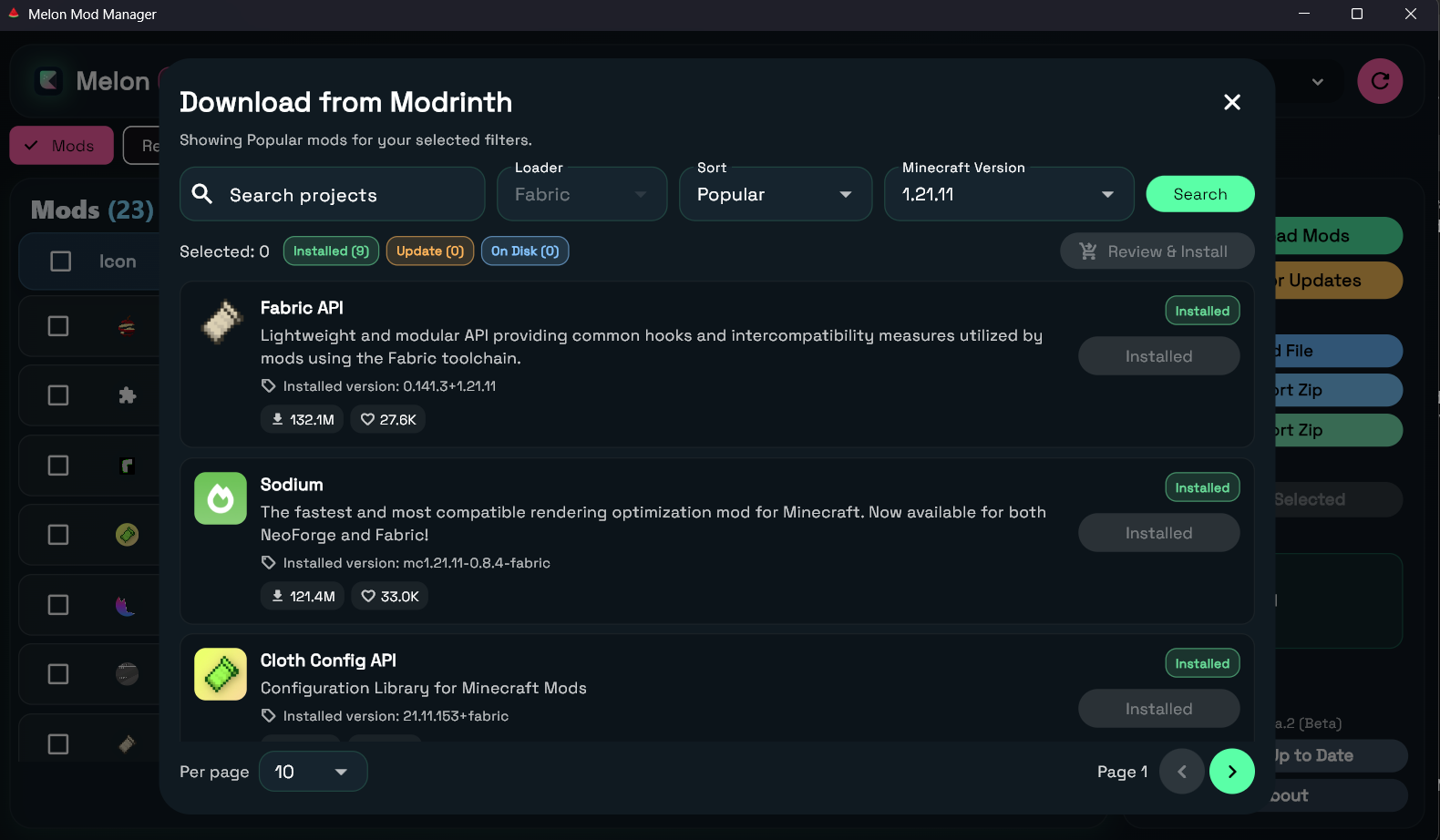
A custom desktop app to browse, install, and update Minecraft mods, shaders, and resource packs in one place.
WHAT IS MELON MOD MANAGER?
Melon Mod Manager is our custom Windows app that helps you manage mods, shaders, and resource packs faster without manually sorting files.
App Preview
⚡ PERFORMANCE OPTIMIZATION
Essential mods to boost FPS and reduce lag
Sodium
Dramatically improves rendering performance and FPS
✓ Get 3-5x better FPS compared to vanilla Minecraft
Lithium
Optimizes game physics and systems without changing gameplay
✓ Reduces lag spikes and improves server performance
FerriteCore
Reduces memory usage significantly
✓ Use 50% less RAM - perfect for lower-end PCs
EntityCulling
Stops rendering entities you can't see
✓ Big FPS boost in crowded areas
ImmediatelyFast
Optimizes immediate mode rendering
✓ Faster UI and HUD rendering
Dynamic FPS
Reduces FPS when Minecraft is in background
✓ Saves power and reduces heat when alt-tabbed
🎨 VISUAL ENHANCEMENTS
Make Minecraft look and sound amazing
Iris Shaders
Enables beautiful shaders with great performance
✓ Make Minecraft look stunning while keeping high FPS
Bobby
Increases render distance by caching chunks
✓ See farther without impacting performance
Sounds
Adds ambient sounds and enhanced audio features
✓ More immersive environment with natural soundscapes
Sound Physics Remastered
Adds realistic sound physics and reverb
✓ Immersive audio experience in caves and buildings
✨ QUALITY OF LIFE
Helpful features that improve gameplay
AppleSkin
Shows food saturation and hunger restored
✓ Know exactly how much food heals
Inventory Profiles Next
Adds inventory sorting and management shortcuts
✓ Quickly sort, move, and organize items with one click
Xaero's Minimap
Clean minimap and world map
✓ Never get lost, mark waypoints easily
Fast IP Ping
Speeds up server list pinging
✓ Faster multiplayer menu loading
🌟 SHADER PACKS
Transform Minecraft with stunning lighting and effects (Requires Iris)
BSL Shaders
Balanced performance and beauty
Great for mid-range PCs, vibrant colors
Complementary Shaders
Highly customizable with amazing features
Best all-around shader pack, tons of settings
Photon Shaders
Lightweight and smooth performance
Beautiful visuals even on low-end PCs
🚀 LAUNCHER OPTIMIZATION
💾 Allocate More RAM
- 1.Open launcher settings / Edit profile
- 2.Find JVM Arguments
- 3.Change
-Xmx2Gto-Xmx4G(4GB RAM) - ⚠️Don't allocate more than 8GB or it can cause lag
⚙️ Recommended Settings
- ✓Use Java 21 for Minecraft 1.21+
- ✓Enable VSync to prevent screen tearing
- ✓Set render distance to 12-16 chunks
- ✓Close other apps while playing